How to Write Video Demo Scripts That Convert (B2B SaaS Guide)

Published
Updated


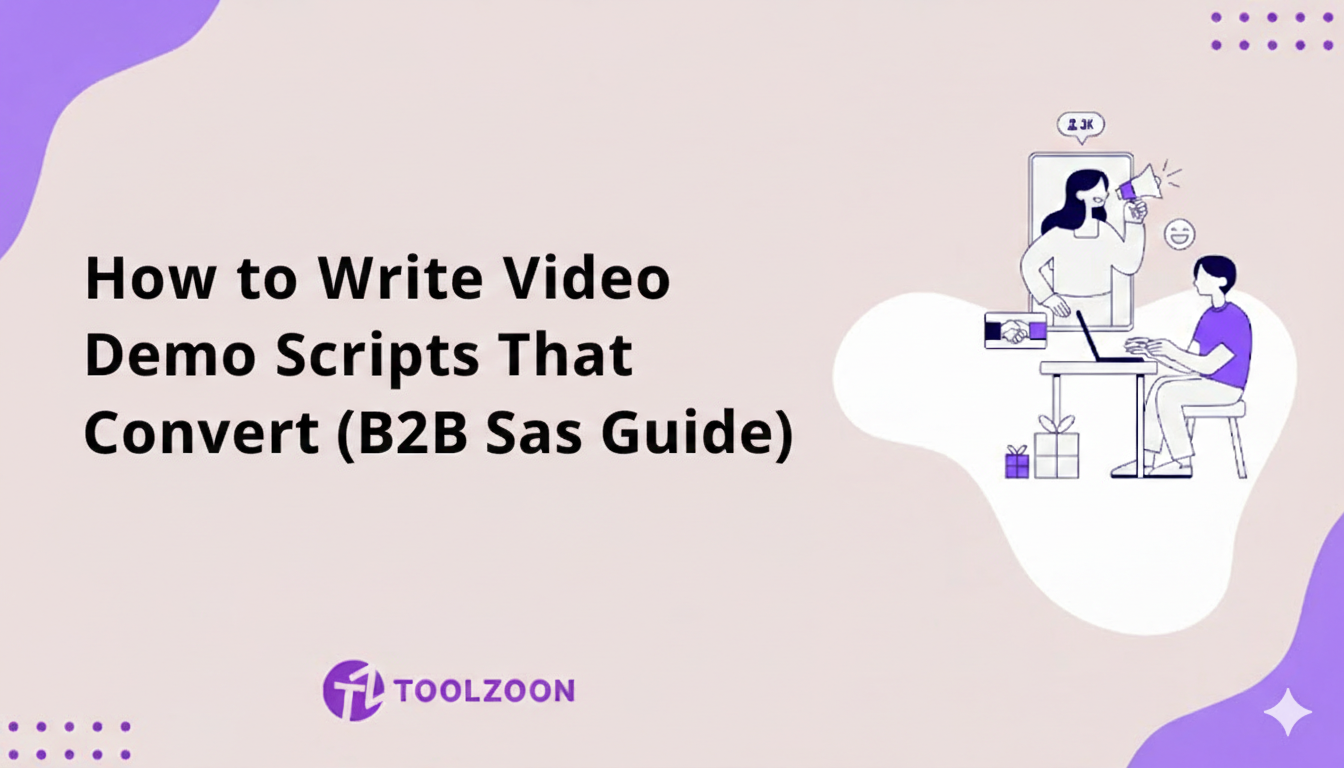
Here's a truth that many B2B SaaS companies overlook:
Even the most polished video production can't save a poorly written script.
Your demo script is the foundation of everything. It determines whether prospects understand your value in the first 10 seconds, whether they watch to the end, and whether they take action afterward. Get the script right, and even a basic screen recorder can produce a powerful sales tool. Get it wrong, and no amount of motion graphics will save you.
In this guide, you'll learn exactly how to write video demo scripts that hook viewers, communicate value clearly, and drive conversions. You'll get a proven structure, a copy-and-paste template, a shot list method, and a pre-launch checklist. We'll also show you how AI-powered tools like Toolzoon help you write better scripts faster, and how an AI image editor online gets your screenshots and thumbnails ready in minutes.
Why Your Demo Script Makes or Breaks Conversions
Explainer Video demos are essential for B2B SaaS sales, but here's what many marketers miss: the script is doing the heavy lifting, not the visuals.
A great script:
- Hooks attention immediately: You have 3-5 seconds before viewers bounce
- Speaks to pain points: Connects features to real business problems
- Maintains pacing: Keeps viewers engaged throughout
- Drives action: Ends with a clear, compelling next step
- Scales your message: One great script = consistent messaging across all channels
The good news? Writing effective demo scripts is a learnable skill, and with AI tools like Toolzoon, you can create professional scripts in minutes instead of hours.
Before You Write: 3 Questions to Answer
The fastest way to a weak script is to start typing before you know who it's for. Answer these three questions first:
- Who is watching?
A founder, a team lead, and an IT admin care about different things. Pick one viewer and write for them. - Where will they watch it?
A homepage video, a LinkedIn ad, and a follow-up email after a sales call need different lengths and different hooks. - What is the one action you want?
Free trial, demo booking, or a feature adoption click. Decide now, because every line of the script should lead there.
The Proven Structure for Video Demo Scripts
Every high-converting demo script follows a simple but powerful framework. Here's the structure that works:
1. The Hook (5-10 seconds)
Purpose: Stop the scroll and grab attention immediately.
What to include:
- A specific pain point your audience faces
- A bold statement or surprising statistic
- A question that resonates with their frustration
Example hooks:
- "Spending 10 hours a week on manual reporting? There's a better way."
- "72% of sales teams lose deals because of slow follow-up. Here's how to fix it."
- "What if your weekly report wrote itself before Monday's meeting?"
Tip: Use the AI Content Generator to brainstorm 10+ hook variations, then pick the strongest one. Only use statistics you can source, because one made-up number can cost you the viewer's trust.
2. The Problem (15-30 seconds)
Purpose: Dig deeper into the pain. Show you understand their world.
What to include:
- 2-3 specific symptoms of the problem
- The business impact (lost time, revenue, opportunities)
- Why existing solutions fall short
Example:
"Most sales teams struggle with three things: tracking leads across multiple platforms, remembering to follow up at the right time, and personalizing outreach at scale. The result? Deals slip through the cracks, and your team wastes hours on administrative work instead of selling."Toolzoon Tip: Use the Paraphrasing Tool to refine technical language into conversational, relatable copy.
3. The Solution/Walkthrough (60-90 seconds)
Purpose: Show your product solving the problem. This is your actual demo.
What to include:
- 3-5 key features that directly address the pain points
- Clear narration of what viewers are seeing on screen
- Benefits, not just features ("This saves your team 5 hours per week")
- Simple language (avoid jargon unless your audience expects it)
Script structure for this section:
- Introduce the solution: "Here's how [Product] solves this..."
- Feature 1 + Benefit: "First, you'll see... which means..."
- Feature 2 + Benefit: "Next, notice how... this allows you to..."
- Feature 3 + Benefit: "And finally... so you can..."
Pro Tip: Use the Content Rewriter to create industry-specific versions of your script for different audience segments.
Visual Tip: Every line of narration should match what's on screen. Capture the key screens before you record, then blur customer data, add arrows, and crop to the feature you're describing. A free AI photo editor, no sign-up needed, lets you do this in your browser without installing anything.
4. Social Proof/Results (15-20 seconds)
Purpose: Build credibility and show real-world impact.
What to include:
- Customer results (metrics, time saved, revenue increased)
- Notable client names or logos
- Brief testimonial quote
Example:
"Over 5,000 sales teams trust SalesFlow. Companies like Acme Corp and TechStart have reduced follow-up time by 60% and closed 30% more deals."Tip: Ask before you show a customer's logo or name on screen, and keep a short note of where each number came from.
5. The Call-to-Action (5-10 seconds)
Purpose: Tell viewers exactly what to do next.
What to include:
- One clear action (don't give multiple options)
- Urgency or incentive if appropriate
- Friction-reducing language ("No credit card required")
Example CTAs:
- "Ready to close more deals? Start your free 14-day trial, no credit card required."
- "See it in action for yourself. Book a personalized demo with our team."
Pro Tip: Test multiple CTA variations using the AI Content Generator and see which converts best.
How Long Should Each Script Be?
Most people speak at about 130-150 words per minute when narrating a demo. Use this table to set a word budget before you write:
| Video Type | Length | Approx. Word Count |
|---|---|---|
| Social clip or ad | 15-30 seconds | 35-75 words |
| Feature highlight | 30-60 seconds | 75-150 words |
| Explainer/overview | 60-90 seconds | 150-225 words |
| Product walkthrough | 2-3 minutes | 275-450 words |
| Deep dive demo | 5-10 minutes | 700-1,500 words |
7 Script Writing Best Practices
Follow these principles to write scripts that keep viewers engaged:
- Write Like You Talk
Read your script aloud. If it sounds stiff or formal, rewrite it. Use contractions (it's, you'll, we're) and conversational language.
Weak: "Our platform facilitates streamlined communication."
Strong: "We make team communication simple." - Focus on Benefits, Not Features
Always connect features to outcomes. Answer "So what?" for every feature you mention.
Feature: "Automated reporting"
Benefit: "Get your weekly reports automatically, saving 10 hours every month" - Keep Sentences Short
Long sentences lose viewers. Aim for 10-15 words per sentence. Use periods generously. - Use Active Voice
Passive: "Reports are generated by the system"
Active: "The system generates reports automatically" - Include Transitions
Guide viewers through your demo with clear transitions:
"First, let me show you..."
"Next, you'll notice..."
"And finally..."
"Now here's the best part..." - Anticipate Questions
Address common objections or questions proactively:
"No coding required"
"It takes just 5 minutes to set up"
"Works with all the tools you already use" - Time Your Script
Read your script aloud at a natural pace and compare it to the word count table above. If you run long, cut features before you cut the hook or the CTA.
Turn Your Script Into a Shot List
A script tells viewers what to hear. A shot list tells your team what to show. Split your script into a simple two-column plan before you record:
| Narration (Audio) | On Screen (Visual) |
|---|---|
| "Spending 10 hours a week on manual reporting?" | A cluttered spreadsheet with the time spent highlighted |
| "Here's how [Product] solves this." | Clean dashboard, logo in the corner |
| "First, connect your data in one click." | Zoomed screenshot of the Connect button with an arrow |
| "Start your free trial today." | End card with the CTA and website URL |
This step catches gaps early. If a line has no matching visual, either cut the line or plan the screen you need.
Pair Your Script With Clean Visuals
A strong script deserves strong visuals. Viewers decide whether to click on your thumbnail before they hear a word, and blurry or cluttered screenshots weaken even the best narration.
Here's how to prepare your visuals once the script is done:
- Storyboard each section. Take one screenshot per script beat (hook, problem, solution, proof, CTA) so the editor knows exactly what goes where.
- Hide sensitive data. Blur emails, names, and API keys in your product screens before recording.
- Highlight what matters. Add arrows, boxes, and short text labels that echo your narration.
- Remove distractions. Erase browser tabs, notifications, and test data that pull attention away from the feature.
- Design a thumbnail that sells. Use a bold headline from your hook plus one clear product screen.
- Resize for every channel. Export 16:9 for YouTube and your website, 1:1 for LinkedIn, and 9:16 for Shorts and Reels.
You don't need Photoshop for any of this. An AI image editor online handles cropping, background cleanup, blurring, and resizing in seconds. If you want to start right away, pick a free AI photo editor with no sign-up, so anyone on your team can fix a frame without creating an account.
Write Better Scripts Faster with Toolzoon
Creating high-quality demo scripts from scratch takes time. Toolzoon's AI-powered writing tools help you write better, faster:
| Toolzoon Tool | How It Helps with Script Writing |
|---|---|
| AI Content Generator | Generate complete demo scripts from product descriptions. Input your features and target audience, get structured scripts in seconds. |
| AI Script Generator | Draft a first version of your narration with scenes and timing, then edit it in your own voice. |
| Paraphrasing Tool | Transform technical jargon into conversational language. Make complex features easy to understand. |
| Content Rewriter | Create industry-specific versions of your script. One core script becomes 5+ personalized variations. |
| Summarizer | Condense long scripts into micro-demo versions. Turn 3-minute scripts into 30-second social clips. |
| Grammar Checker | Ensure your scripts are error-free and professional. Catch typos and awkward phrasing before recording. |
| Meta Description Generator | Write the title and description for your video page or YouTube upload so the demo gets found. |
5 Script Mistakes That Kill Conversions
Avoid these common pitfalls:
- Starting with a Company Introduction
Nobody cares about your founding story or mission statement in the first 10 seconds. Start with their problem, not your company. - Listing Features Without Context
"We have integrations, automation, and analytics" means nothing. Connect each feature to a specific outcome. - Using Too Much Jargon
If your grandmother wouldn't understand it, simplify. Use Toolzoon's Paraphrasing Tool to make technical copy accessible. - Skipping the Problem Section
Jumping straight to your solution without establishing the problem leaves viewers confused about why they should care. - Weak or Missing CTAs
"Learn more" is not a CTA. Be specific: "Start your free trial," "Book a demo," "Download the guide."
Demo Script Template (Copy & Customize)
Use this template as a starting point, then customize with Toolzoon:
[HOOK - 5-10 seconds]
Struggling with [specific pain point]? You're not alone.
[PROBLEM - 15-30 seconds]
Most [target audience] face three major challenges: [Problem 1], [Problem 2], and [Problem 3]. The result? [Negative outcome]. Existing solutions fall short because [reason].
[SOLUTION - 60-90 seconds]
Here's how [Product Name] solves this. First, [Feature 1] which means [Benefit 1]. Next, [Feature 2] so you can [Benefit 2]. And finally, [Feature 3] helping you [Benefit 3].
[SOCIAL PROOF - 15-20 seconds]
Over [X number] of [target audience] trust [Product Name]. Companies like [Client 1] and [Client 2] have [specific result metric].
[CTA - 5-10 seconds]
Ready to [desired outcome]? [Specific action]. [Friction reducer].
Pre-Launch Checklist for Your Demo Video
Run through this list before you publish:
- The hook names a real problem in the first 5 seconds
- Every feature mentioned is tied to a clear benefit
- Every statistic and customer name is approved and sourced
- Screenshots are cropped, annotated, and free of private data
- Captions are added, since many viewers watch with the sound off
- The thumbnail is readable at small sizes on mobile
- The video ends with one specific call-to-action
Frequently Asked Questions
How long should a SaaS demo video be?
For a homepage or ad, aim for 60-90 seconds. Product walkthroughs for leads who are already interested can run 2-3 minutes, and deep dives for late-stage buyers can go up to 10 minutes.
Can AI write my demo video script?
AI can write a solid first draft in seconds. Use it to generate hooks, structure, and variations, then edit the result so it sounds like your brand and reflects real customer results.
What's the best way to edit screenshots for a demo video?
Use a browser-based AI image editor online to crop, blur private data, add arrows, and resize frames for each platform. It's faster than desktop software and works on any computer.
Is there a free AI photo editor with no sign-up for thumbnails?
Yes. Several browser tools let you upload, edit, and download images without creating an account. A free AI photo editor with no sign-up is ideal for quick thumbnail and storyboard edits when you're on a deadline.
Final Thoughts
A great video demo script is the foundation of effective B2B SaaS marketing. It hooks attention, communicates value clearly, and drives action, all in under two minutes.
The best part? You don't have to start from a blank page. Toolzoon's AI-powered writing tools help you:
- Generate complete scripts in minutes
- Transform technical copy into engaging narratives
- Create personalized variations for different audiences
- Test and refine messaging faster
- Maintain consistency across all your content
Start writing better demo scripts today. Try Toolzoon's AI Content Generator and transform how you communicate your product's value.
Write your next demo script in minutes
Hooks, structure, and rewrites with 50+ AI writing tools.